.jpg)
Monday morning at a busy plant does not leave much room for detective work. Before the first truck rolls across the scale, make sure your team can answer the following questions.
Are today’s orders active and assigned to the right locations?
Start with the work already scheduled. Confirm that the orders needed for the day are active, available at the correct locations, and ready for ticketing.
This becomes especially important when an operation serves multiple plants, yards, or customer jobs. The order may exist, but can the operator at the correct location see it? If something changed overnight, did that update reach the scale house?
When the driver arrives, the correct order should already be waiting. A central, cloud-based system can keep locations synchronized without requiring someone to re-enter the same information at every plant.
Are products, pricing, and customer details current?
The information captured at the scale continues into billing, inventory, reporting, and customer service. A small mistake at the beginning of the process can create extra work for several teams later.
Review new or recently changed information before the day gets busy. Depending on the operation, that could include:
- Customer and job information
- Product assignments
- Pricing and tax setup
- Purchase order requirements
- Truck and hauler records
- Delivery or project references
Not every record needs to be reviewed every morning. Focus on what changed, what is unusual, and what could prevent the operator from creating an accurate ticket.
Ideally, the information should carry from the original quote or order into ticketing and then into billing without being rebuilt at every step. A missing detail may take a minute to correct before the first load. After the truck leaves, the same issue can require calls between the scale house, sales, dispatch, and accounting.
Are scales, printers, cameras, and traffic controls connected to one system?
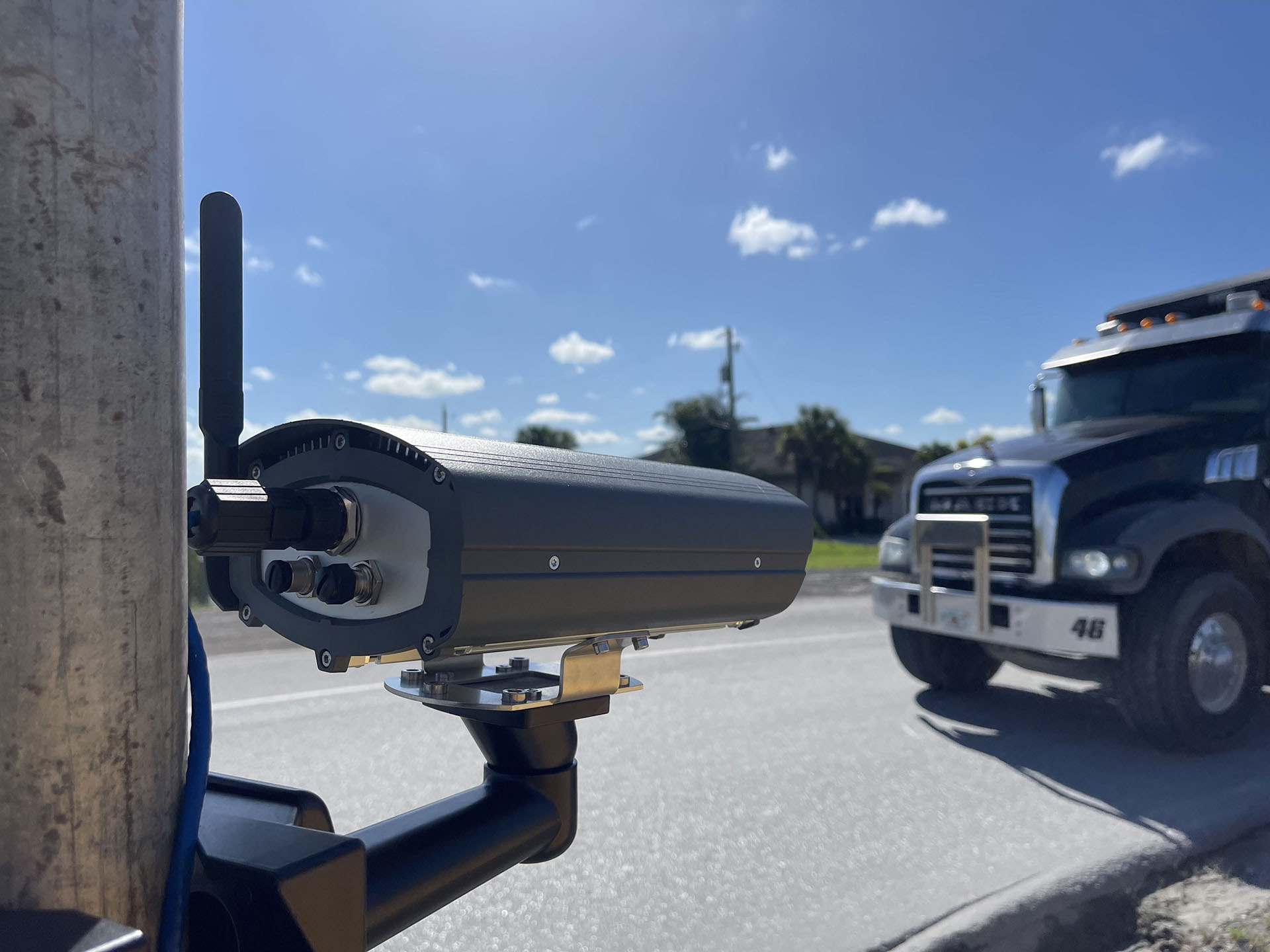
Ticketing software is only one part of the scale-house workflow. The scale, printer, cameras, traffic controls, kiosks, card terminals, and identification tools all have a job to do.
The exact opening check will vary by location, but it may include confirming that:
- The scale is communicating properly
- Ticket printers have paper and are responding
- Cameras are connected to the ticketing workflow
- Traffic lights and gates are operating
- Driver kiosks are ready for use
- RFID or license plate recognition tools are responding
Each device may serve a different purpose, but operators should not have to manage a separate workflow for every piece of equipment. When hardware is connected directly to the ticketing system, weights, images, driver identification, ticket details, and traffic controls can support one continuous process.
This does not need to become a lengthy inspection. A short, repeatable check is usually enough to catch obvious problems while there is still time to address them.
Can dispatch, the scale house, and loadout see the same information?
A scale house can be ready while the rest of the operation is not. Dispatch may be working from an updated schedule that has not reached the plant. The loader may not know which trucks are arriving first. Sales may have changed an order without telling the operator.
Before traffic picks up, confirm that dispatch, the scale house, and loadout are working from the same plan. When a truck checks in, the team responsible for loading it should be able to see what arrived, what material it needs, and where it belongs in the queue. This matters most when the day includes a rush order, a change in product availability, a large customer pickup, or an unusual loading sequence.
The best time to resolve a handoff problem is before a truck is waiting on it.
Shared, real-time information reduces the need for phone calls, radio checks, handwritten notes, and repeated data entry. It also gives each team a clearer view of what is happening beyond its own part of the operation.
If connectivity drops, can ticketing keep moving?
Internet and cellular service can be unreliable, particularly at rural plants and remote job sites. Losing connectivity should not mean losing the ability to sell material.
Operators should know what to expect when the connection disappears:
- Can they continue creating tickets?
- Will those tickets be stored safely at the plant?
- Will the records synchronize automatically when connectivity returns?
- Can the team keep working without switching to a separate emergency process?
Offline ticketing should be part of the system’s normal operation, not a workaround assembled after the internet goes down. The software should continue supporting the scale house locally and reconnect with the rest of the business when service returns.
That capability is most useful when operators understand how it works before an outage happens. An offline plan should be part of normal operating readiness, not something the team has to invent in the middle of a busy shift.
.png)
Does your ticketing software cover all of the above natively?
Can your ticketing platform manage orders, customer information, pricing, scale activity, connected equipment, dispatch, loadout, and offline operation within one system? Or does the team have to move between separate programs, spreadsheets, messages, and manual processes to keep the day running?
Every additional system creates another place for information to fall out of sync. Every manual handoff creates another opportunity for a missed change, duplicate entry, or delayed ticket.
Native coverage does not mean an operation should be closed off from the rest of its technology. Accounting, ERP, logistics, and plant-control systems may all need to exchange information with the ticketing platform. A modern system should support those connections while keeping the core material workflow intact.
The difference is whether integrations extend the operation or hold it together.
Fastweigh is designed around that distinction. Ticketing, dispatch, loadout, order management, billing, reporting, offline operation, and plant hardware work from the same operational foundation. Integrations can then connect that foundation to the other systems the business chooses to use.
The goal is not to give operators more software to manage. It is to give every team reliable information from the first order through the final invoice.
Make the opening check repeatable
An opening checklist should be short enough to complete consistently. If it depends on one person remembering ten systems and twenty different questions, it will eventually be skipped.
Build the checklist around the way your location actually operates. Assign responsibility for each part, keep it somewhere visible, and update it when equipment or workflows change.
A practical starting point is:
- Review active orders and expected traffic.
- Check new or recently changed customer and product details.
- Confirm the scale, printer, cameras, and other essential equipment.
- Review unusual jobs or loading requirements with dispatch and loadout.
- Confirm that operators understand the offline procedure.
- Ask whether your ticketing software covers the entire workflow natively.
The fewer separate systems, workarounds, and manual handoffs your team has to manage, the easier it is to keep information accurate and trucks moving.
A smooth morning starts with working equipment, clean information, and a team that knows what is coming before the yard gets busy.

.jpg)